
Description
Email tracking in DirectAdmin allows you to monitor the status of messages sent from your domain. This feature helps you identify whether emails were successfully delivered, deferred, or failed, making it easier to troubleshoot communication issues.
Step 1: Log in to DirectAdmin
-
Access your DirectAdmin control panel through your hosting client area.
-
Enter your username and password to log in.
Step 2: Navigate to Email Tracking
-
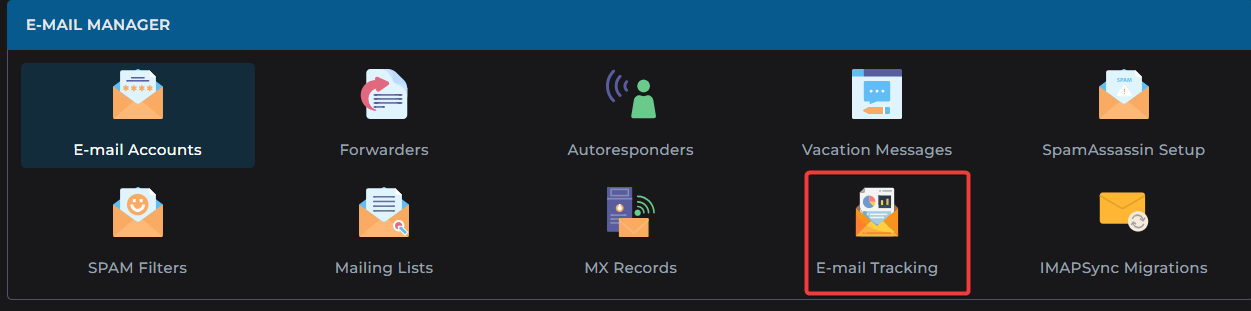
Once logged in, go to the E-mail Manager section.
-
Click on E-mail Tracking.
Step 3: View Email Status
-
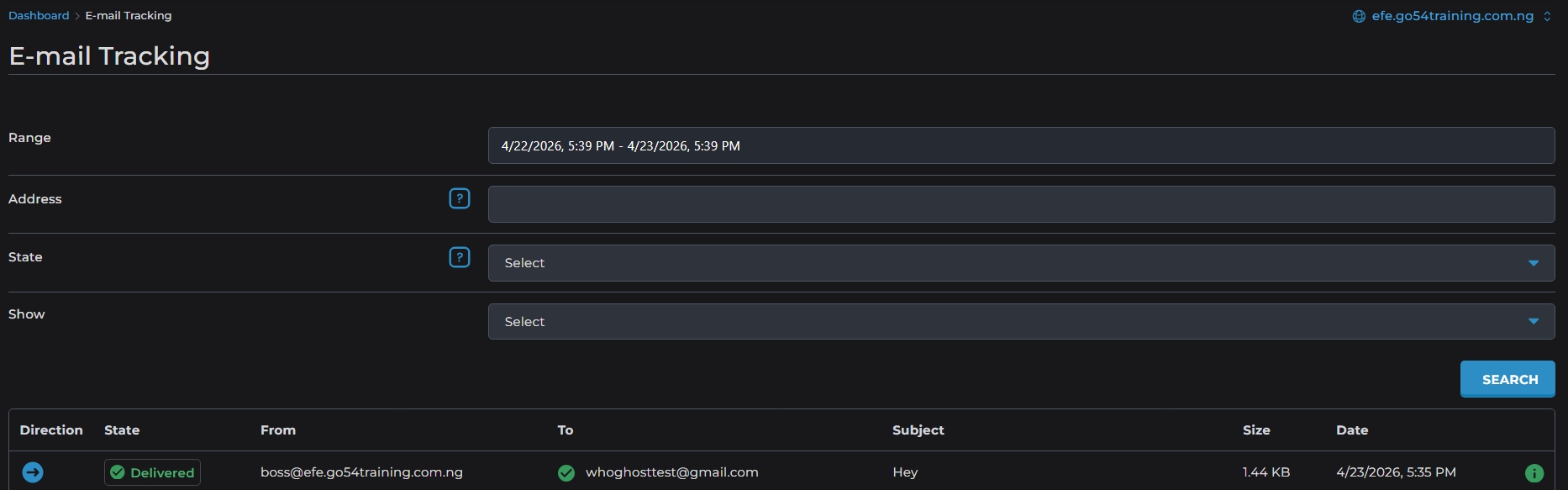
The tracking interface displays all emails sent from your domain.
-
Use the State dropdown menu to filter by:
-
Delivered Emails
-
Deferred Emails
-
Failed Email
-
Other statuses
-
Step 4: Search by Domain or Address
-
You can refine your search by entering:
-
A specific domain name
-
An email address
-
-
This helps you quickly locate the status of particular messages.